Step 1
The programme
Take our modules and add your own: video lessons, texts, tests. A course stays a draft until the school decides to open it, so students never see unfinished work.

For sailing schools, private schools and clubs
Training for skipper licences of every type and for the VHF licence. Our COLREGs, 3D manoeuvre lessons, a breakdown of lights and shapes and a radio trainer — plus your own video lessons, tests and homework on top. Groups, webinars, marking, a certificate after the exam.
A 13-day trial with every feature — on both plans.

A cohort
Six steps from an empty school to a certificate in a student’s hands, with a screenshot of the portal at each one. It is a single platform, not a set of services you have to wire together yourself.
Step 1
Take our modules and add your own: video lessons, texts, tests. A course stays a draft until the school decides to open it, so students never see unfinished work.
Step 2
Open a cohort with dates, assign a teacher and enrol students — by invitation or as a list. A cohort splits into groups, and each group has its own chat with the teacher.

Step 3
Four kinds of work: homework, reading a forecast, chartwork and radio spoken out loud. Every assignment has a deadline, and every marking carries the teacher’s verdict and a comment for the student. The clock starts when the student first opens the assignment, not when it is handed out.

Step 4
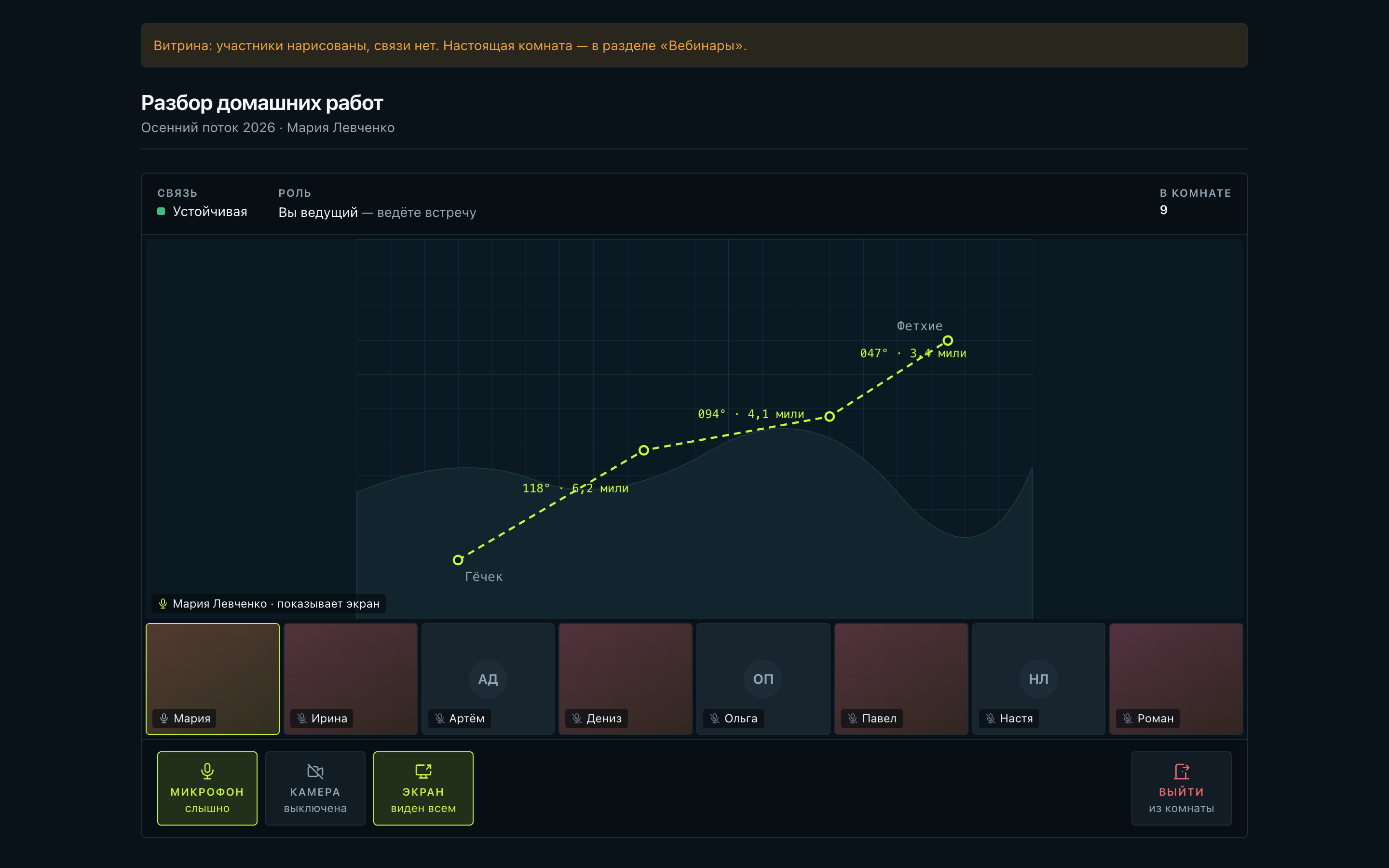
A webinar for up to fifty people on the platform itself: voice, video, a shared screen and the cohort chat beside it. No third-party service, and no link to forward anywhere.
Step 5
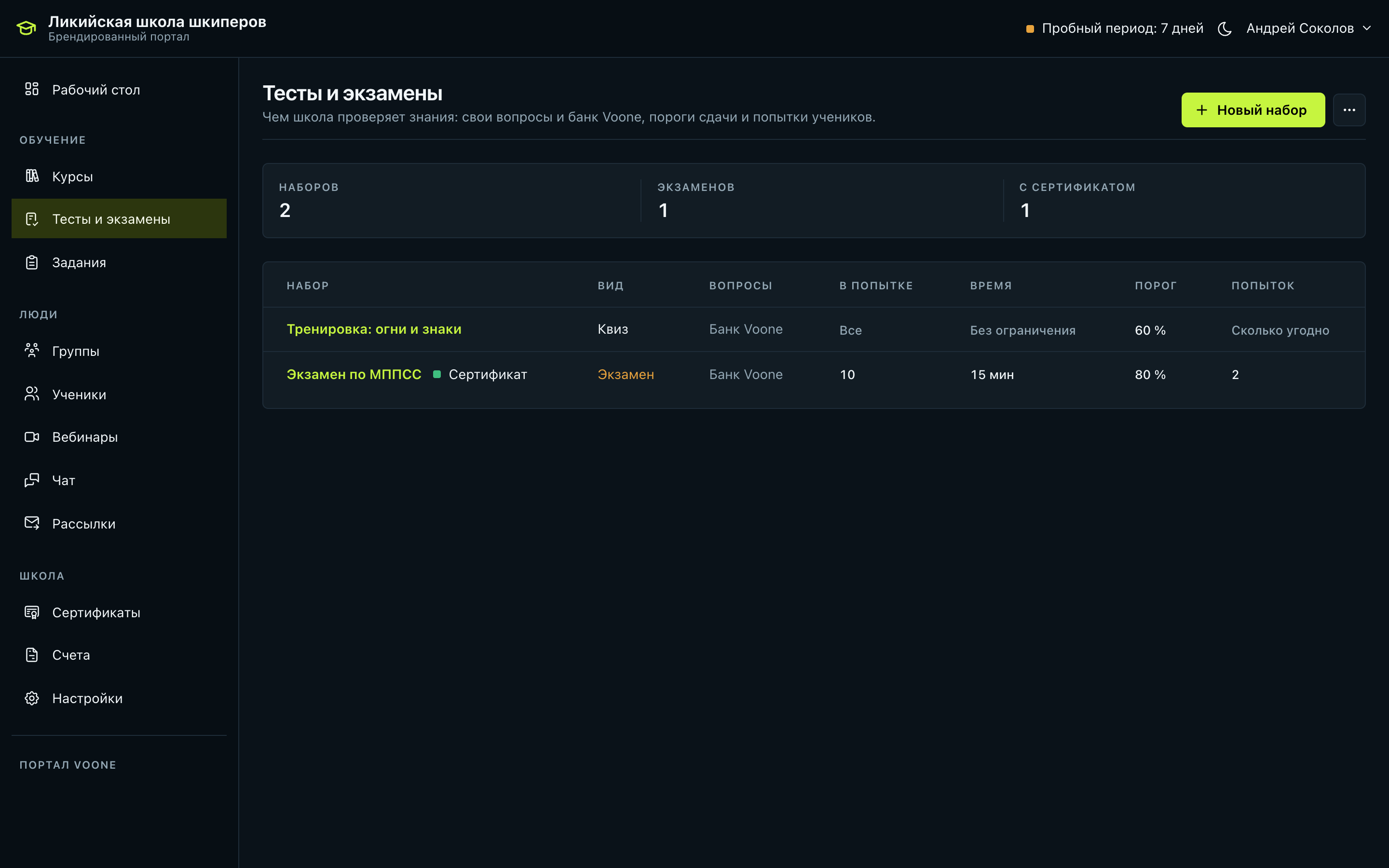
Your own questions or our bank, a pass mark, a number of attempts and a time limit. Correct answers never reach the student, the server keeps the time, and reloading the page does not cost an attempt.
Step 6
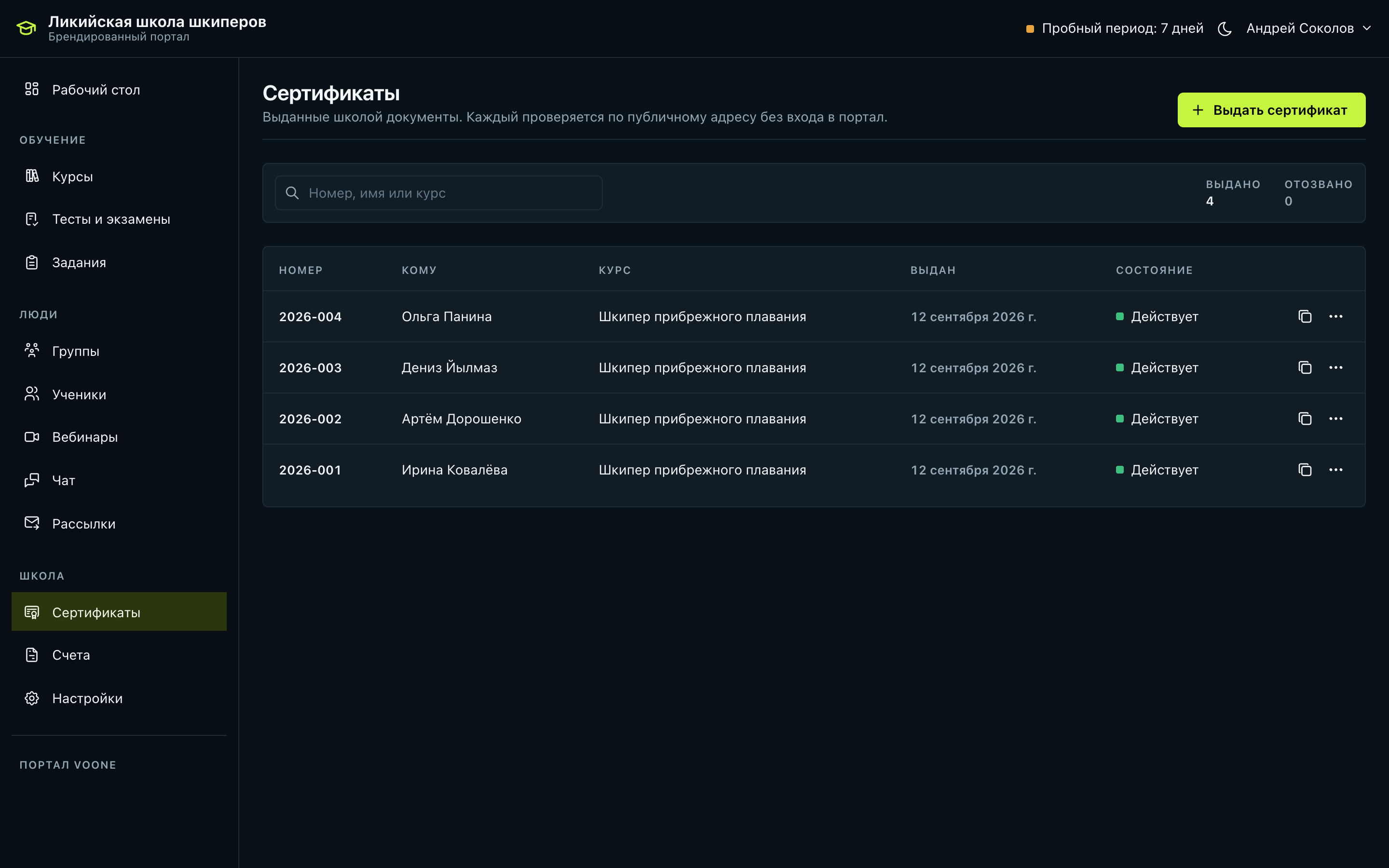
Issued once the exam is passed and the verdict is in. It is a record, not a picture: the name and the course title are written inside the document and stay as they were issued.
No step sends you elsewhere: the programme, the cohort, the assignments, the webinar, the exam and the certificate all know about each other, so a cohort never scatters across chats and spreadsheets.
Students
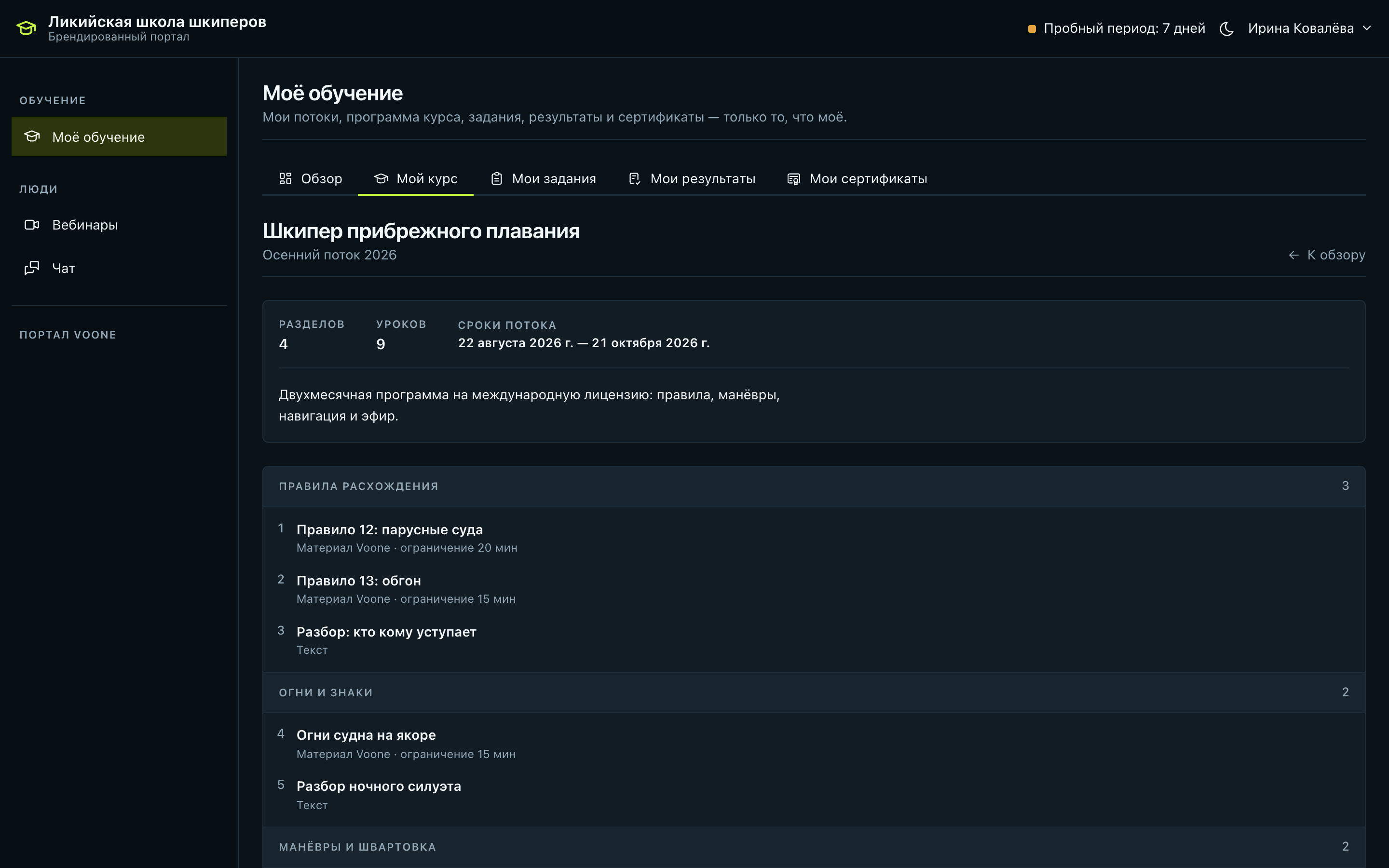
A student gets their own place: their cohort, their assignments, their results. Nothing from the school’s back office reaches them.
What to do, what is overdue, what is being marked and which webinars are next — on one screen instead of a chat thread.
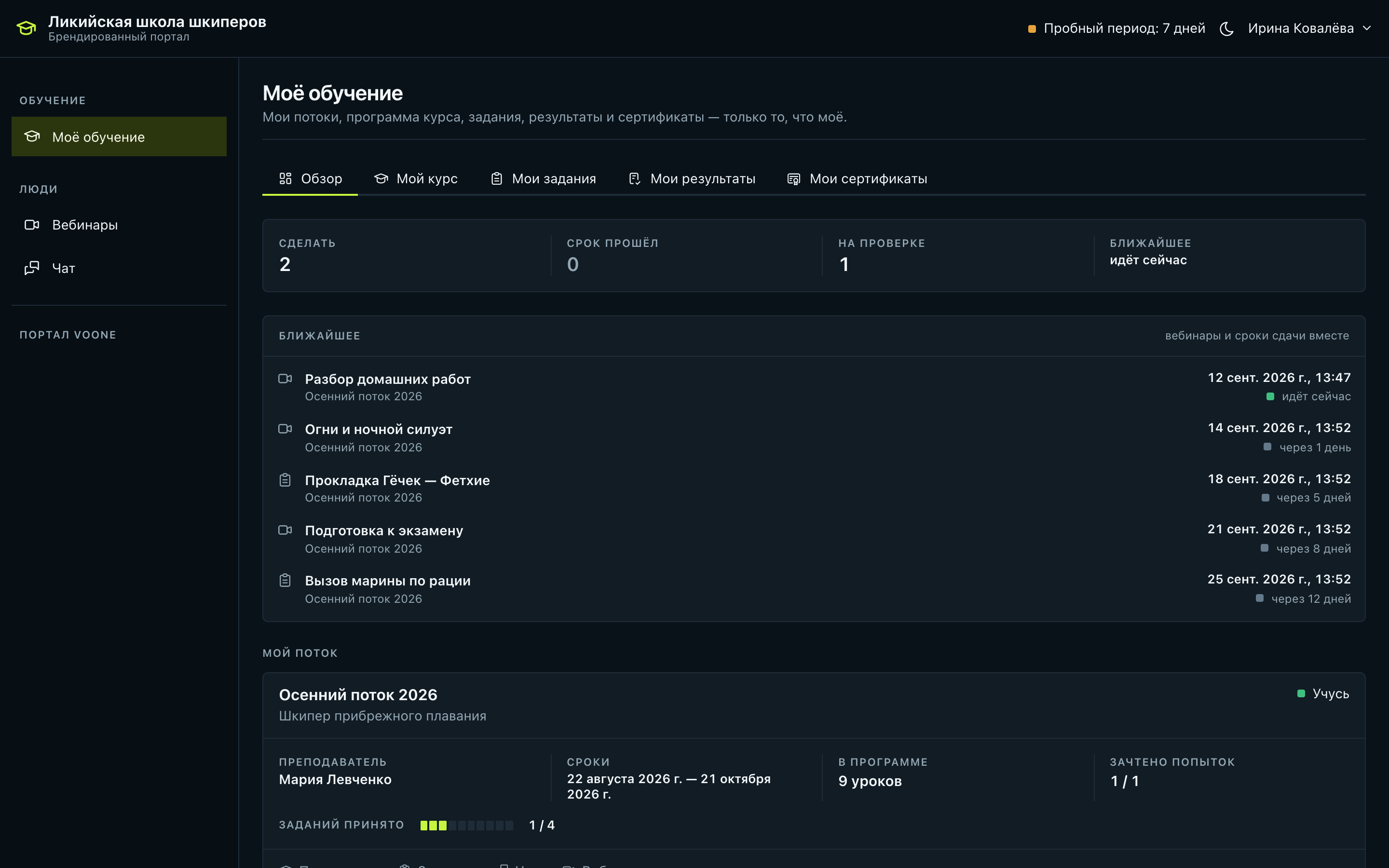
The student sees every section of the cohort and works through it alone: Voone material and the school’s material stand side by side in one list.
The Voone app is free for every student of the school: neither the school nor the student pays anything extra for it.
The base
We wrote the teaching base and we keep it current. A school takes all of it or part of it and puts its own material on top — a programme is assembled from what is already there, not from nothing.
Every rule in plain words, diagrams of tacks and an explanation for every answer.
Mooring, giving way, man overboard: a scene the student watches first and then scrolls through alone.
A breakdown of ships’ lights and shapes: what you see at night and what it means.
The student speaks real situations out loud — from calling a marina to a distress message.
Upload your own recordings and build course modules from them next to ours.
You write the questions; the teacher sees the result for every student.
An assignment, a deadline and marking by the teacher with a comment for the student.
Reading a forecast and working with a chart — as a separate kind of assignment.
Radio work as homework: the student records an answer, the teacher listens and marks it.
The answer key never leaves the building: in the open reference the questions carry no correct option and no explanation, or the exam would be solved in the next browser tab.
Appearance
Light and dark both work on either plan: the portal follows the device, and a student sets nothing up. Your own domain, colours, logos and certificates in the school’s design come with the branded plan.
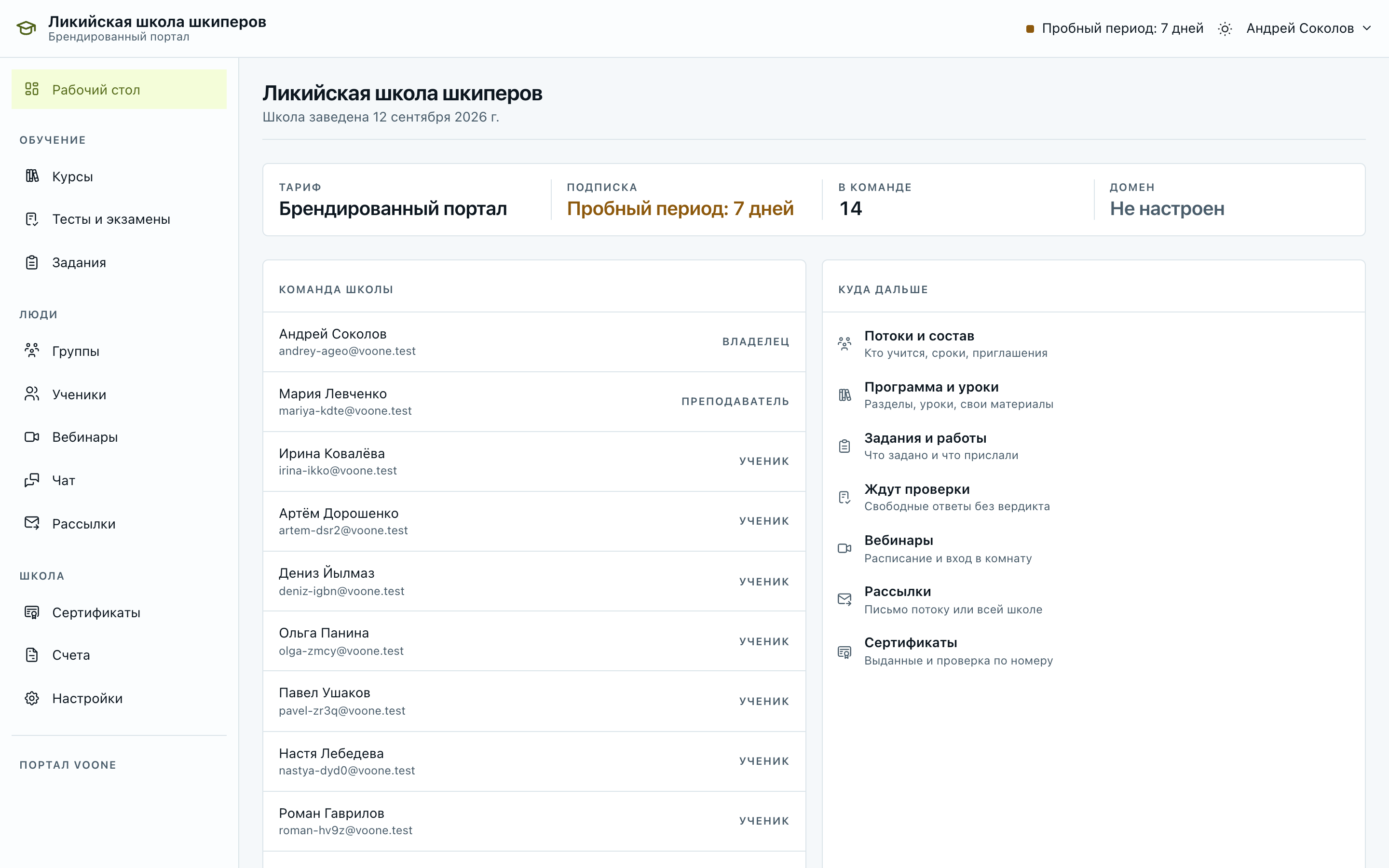

The portal opens at the school’s address, not at ours.
The accent of the portal is the school’s colour, not our lime.
The school’s mark stands in the portal header and on the printed certificate.
The issued document carries the school’s design; on the shared plan it carries ours.
On the shared plan the portal lives at portal.voone.ru in our design — an honest line between the two plans rather than a hidden surcharge.
Who for
For sailing schools, private schools and yacht clubs that teach themselves and want the cohort, the materials, the marking and the exam in one place.
Cohorts, groups and schedule, homework with marking, the exam and the certificate — instead of messenger threads and spreadsheets.
Your own programme on top of our base: take our modules and add your video lessons, tests and assignments.
Teaching club members and preparing them for the exam, next to the sailing schedule and the group chat.
Skipper licences of every type and the VHF licence — both programmes are already on the platform.
Plans
Both come with no limit on cohorts, modules or groups. The Voone app is free for every student of the school.
Voone portal
₽60,000per month
Per year₽576,000−20%
Schools sign up at portal.voone.ru.
Branded portal
₽130,000per month
Per year₽1,248,000−20%
Schools sign up at portal.voone.ru.
A 13-day trial with every feature — on both plans.
The Voone app is free for every student of the school; there is nothing to pay for it separately.
Paperwork
There is no card payment for sums like these: we sign a contract, issue an invoice and hand over the closing documents once it is paid. The contract and the details go to the email you give when signing the school up.
Getting started
The trial opens the moment you sign up; the contract is signed when the school decides to stay.
Step 1
At portal.voone.ru. The 13-day trial with every feature opens straight away.
Step 2
Take our modules and add your own video lessons, tests and homework.
Step 3
Split the cohort into groups, assign teachers, open the chat and schedule webinars.
Step 4
You pick a plan, we send the contract and the invoice — and the school carries on without the trial.
Sign your school up and open the 13-day trial — or write to us and we will walk you through it ourselves.